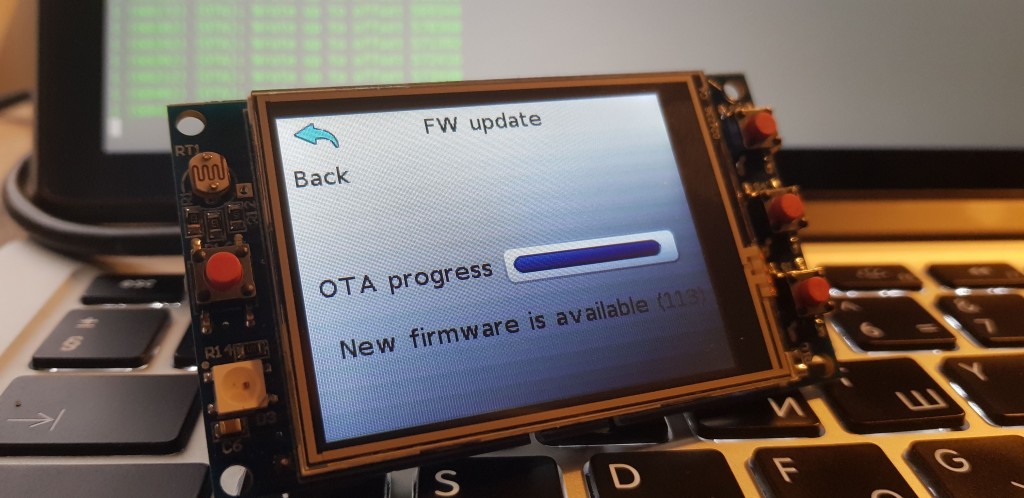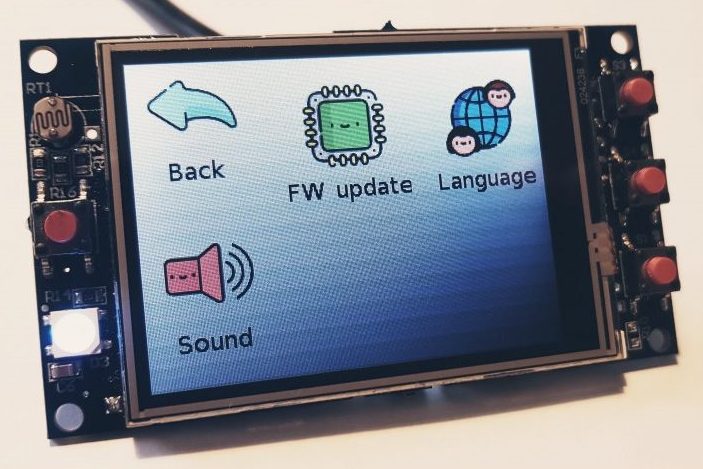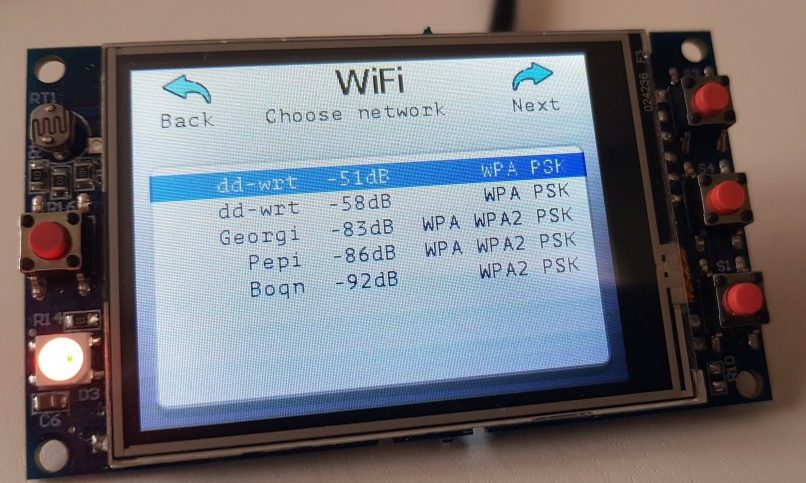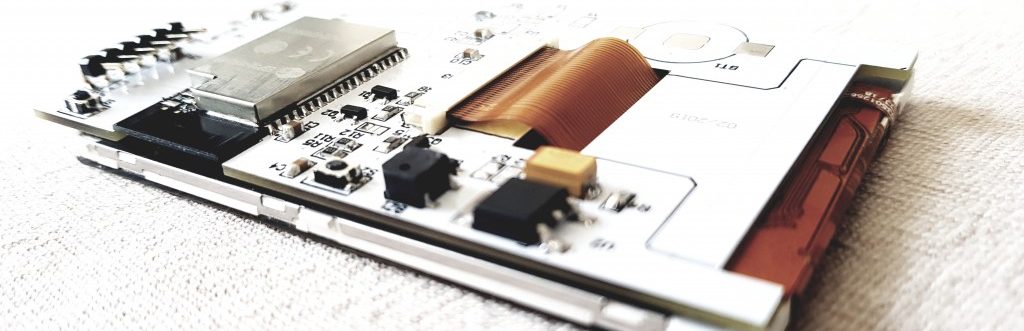
I laid out a new pcb design to eventually produce, it is a USB enabled ATMega32U4 @ 8Mhz/3.3V (same MCU as Arduino Leonardo) board with optional AAA battery holder on the back plus LC3525@3V boost regulator that will allow the thing to run off the single AAA battery. Alternatively,a CR2032 coin cell battery may be used. There is a socket for a nRF24L01+ wireless module, but I may also add a RFM12B breakout board as an option. Most of the pins are available to the side headers, there is a MOSFET to control the power state of the nRF24L01/RFM12B module that will be plugged into the socket:
I’m still wondering if there would be interest in such product, please vote so I can make up my mind:
I plan to next experiment with a Atmega32U4+nRF24L01+WIZ820io gateway board. (105)
/**
* Pins:
* Hardware SPI:
* MISO -> 12
* MOSI -> 11
* SCK -> 13
*
* Configurable:
* CE -> 8
* CSN -> 7
*
*/
#include <avr/sleep.h>
#include <avr/power.h>
typedef enum { wdt_16ms = 0, wdt_32ms, wdt_64ms, wdt_128ms, wdt_250ms, wdt_500ms, wdt_1s, wdt_2s, wdt_4s, wdt_8s } wdt_prescalar_e;
const short sleep_cycles_per_transmission = 1;
volatile short sleep_cycles_remaining = sleep_cycles_per_transmission;
#include <SPI.h>
#include <Mirf.h> //https://github.com/aaronds/arduino-nrf24l01/tree/master/Mirf
#include <nRF24L01.h>
#include <MirfHardwareSpiDriver.h>
void setup(){
// disable ADC
ADCSRA = 0;
// turn off various modules
//PRR = 0xFF;
// turn off brown-out enable in software
MCUCR = _BV (BODS) | _BV (BODSE);
MCUCR = _BV (BODS);
//
// Prepare sleep parameters
//
setup_watchdog(wdt_1s);
/*
* Setup pins / SPI.
*/
/* To change CE / CSN Pins:
*
*/
Mirf.cePin = 8;
Mirf.csnPin = 7;
Mirf.spi = &MirfHardwareSpi;
Mirf.init();
/*
* Configure reciving address.
*/
Mirf.setRADDR((byte *)"clie1");
/*
* Set the payload length to sizeof(unsigned long) the
* return type of millis().
*
* NB: payload on client and server must be the same.
*/
Mirf.payload = sizeof(unsigned long);
/*
* Write channel and payload config then power up reciver.
*/
Mirf.channel = 7;
/*
* To change channel:
*
* Mirf.channel = 10;
*
* NB: Make sure channel is legal in your area.
*/
Mirf.config();
}
void loop(){
//pinMode(9,OUTPUT);
//digitalWrite(9,HIGH);
unsigned long time = millis();
Mirf.send((byte *)&time);
while(Mirf.isSending()){
}
Mirf.powerDown();
// Sleep the MCU. The watchdog timer will awaken in a short while, and
// continue execution here.
// digitalWrite(9,LOW);
while( sleep_cycles_remaining )
do_sleep();
sleep_cycles_remaining = sleep_cycles_per_transmission;
}
//
// Sleep helpers
//
// 0=16ms, 1=32ms,2=64ms,3=125ms,4=250ms,5=500ms
// 6=1 sec,7=2 sec, 8=4 sec, 9= 8sec
void setup_watchdog(uint8_t prescalar)
{
prescalar = min(9,prescalar);
uint8_t wdtcsr = prescalar & 7;
if ( prescalar & 8 )
wdtcsr |= _BV(WDP3);
MCUSR &= ~_BV(WDRF);
WDTCSR = _BV(WDCE) | _BV(WDE);
WDTCSR = _BV(WDCE) | wdtcsr | _BV(WDIE);
}
ISR(WDT_vect)
{
--sleep_cycles_remaining;
}
void do_sleep(void)
{
set_sleep_mode(SLEEP_MODE_PWR_DOWN); // sleep mode is set here
sleep_enable();
sleep_mode(); // System sleeps here
sleep_disable(); // System continues execution here when watchdog timed out
}
The output is as follows:
The consumption peaks to 27.8mA (but averaging that over the transmission period will give you roughlty 12mA as the datasheet states). The 4 bytes payload (unsigned long) take 2.88ms to transmit, that includes the overhead. I will still have to experiment with slower/higher data rates and how that affects range. (89)
I have mentioned before, that I have purchased couple nRF24L01+ units from eBay for the stunning $3 with delivery included. I decided to make some cheap tests this time, so went for a veroboard prototype. I got two blank DIP version ATMega328‘s from eBay and flashed them with my 8Mhz optimized OptiBoot, the same one I use on the RFM2Pi boards. I glued a pinout sticker on top to easily identify the pins. The ATMega328 is running off the internal oscillator to keep components at the minimum and keep power consumption at its lowest possible. I drew what I wanted on a piece of paper:
It is very basic indeed, I wanted FTDI pinout, headers to the side to plug sensors and a 4×2 header for the nRF24L01+ board. It will run on couple AA batteries (requires voltage anywhere from 3.3V down to 1.8V); Here is how it came along:
I only built one so far, so I figured I could try the “Poor man’s 2.4Ghz scanner” sketch to make sure all works. And it surely did:
I changed my WiFi’s channel and the scanner immediately catches it. It also catches bluetooth and microwave oven interference. Useful to scan for free channels to use later when I have two of the nRF23L01+s talk to each other.
Next challenge is to find a decent library to use, there is at least 10 out there. I’d use one that supports interrupts to take advantage of low power features. (501)
I have a cheap USB to 3.3V TTL FTDI Cable that I bought on Ebay. It has been giving me some troubles ever since I got it, burned couple RFM12B modules along the way. I decided to hook it to my scope to see what is going on:
So the thing provides 5V on the power line, whilst the TTL levels are 3.3V. Yuck, why would they provide 5V on the power line??!! I have another one that is better quality and it provides both 3.3V TTL and 3.3V on the power line. The 5V effectively fried the RFM12B on the RFM2Pi board that I was trying to program within seconds..
Just a warning to you, measure before use
[EDIT]: Checking the cable datasheet reveals that these are meant to supply 5V on the VCC. So it was my mistake all along for not reading the datasheet, I have assumed all along that a 3.3V TTL cable would also supply 3.3V on the VCC, furthermore I had previously read here, that this is an unwanted mix-up. As I mention I do have another one, that has a jumper to chose between 3.3 and 5V TTL, that one does indeed also supply 3.3V and 5V respectively on the VCC. Again, a word of warning if you deal with 3.3V sensitive equipment and these cables.
I read an interesting post few months ago about a guy modding his motorcycle’s tail light so it is much more fancy. I had to try it out too I have couple ATTiny85s lying around so in couple hours I had it all set:
I was thinking of actually puting the board in the tail light (hence the LEDs), but quickly realized I wanted to keep the original one as it is a dual one and also lights the license plate. So instead I connected the board to the spoiler’s LEDs. See it in action:
I have a Paradox home security system and I have long wanted to interface with it. I am most interested in its status (armed, disarmed) and the zone statuses. I can use the alarm status to send myself SMS when the system becomes armed/disarmed or the alarm goes on. Zone statuses would provide me knowledge about indoor movement and help with automation tasks. I need R/O access to these, not bi-directional access, that makes the whole setup much easier. Of course Paradox offers product to do exactly this, but where is the joy of hacking things?
So I wasn’t sure where to start with and took apart one of the keypads that is located in my garage. I was expecting the alarm to kick in, but it turns out there is no tamper detection on these. Duh. I checked the keypad’s wiring and knew that I’d be looking at the green and yellow wires. The MCU is an ATMega16U4.
Hooked those to the oscilloscope to see this:
So obviously the yellow line is a clock one, going at 1Khz, 50% duty cycle. The green wire is the data. There are ‘packets’ of data with different sizes, these are clearly visible in the zoomed out window. Further inspection revealed that the data line sometimes transitions on falling and other times on rising CLK signal. I googled a bit and it turns out that this is a common approach with the DSC alarm systems, so basically it turns that this protocol is using the CLK line and then rising edge of CLK for keypad->panel and falling edge for panel->keypad communication. The signals are at 12V, so I need to bring these down a bit for Arduino levels. I will use a JeeNode v6 for this project as I can power it from the 12V line of the keypad, as its voltage regulator can handle 12V. I made two voltage dividers that will bring the CLK and DATA lines to 2.3V, pretty safe for the JeeNode running on 3.3V:
As software side, I put together this code (from various DSC keypad resources):
#include <JeeLib.h> // https://github.com/jcw/jeelib
#define myNodeID 23 // RF12 node ID in the range 1-30
#define network 210 // RF12 Network group
#define freq RF12_868MHZ // Frequency of RFM12B module
unsigned long lastread=0;
int datapin = 5; // 4 on the uno; 1 on the tiny
int clockpin = 3; // 2 on the uno ; 2 on the tiny
#define databytes 32
int data[databytes];
int datavalue = 0;
/*
D1 message:
D1 0 8 20 0 0 0 1C 4 1 A 9C 0 0 0 1 78
byte 12
if 9C, then ARMED
if 88, then about to become ARMED within 5 sec
if AA, then count-down to ARM is in progress
if E6, then system is armed in SLEEP mode
if B8, then system is about to become armed in SLEEP within 5 sec
if 86, system is about to enter SLEEP
18 is UNARMED
D0 messge:
D0 0 0 0 0 0 0 14 2 1 A C6 0 0 0 0 F0
byte 12 is the zones byte, yet to understand its structure
zone 25 on - A4 0b10100100
zone 25+13 - 4E
zone 13 on - 2C 0b00101100
nothing on =c6 0b11000110
*/
int bitcounter = 0;
int dataindex = 0;
int dataread=0;
int lastdataread = 0;
int startbit = 1;
boolean canprint =false;
boolean ignorepadding = true;
unsigned long lastprint = 0;
typedef struct {
unsigned int armstatus;
unsigned int zones;
} Payload;
Payload paradox;
#define rxPin 1
#define txPin 3
void setup() {
// define pin modes for tx, rx, led pins:
Serial.begin(115200);
pinMode(datapin, INPUT);
pinMode(clockpin, INPUT);
rf12_initialize(myNodeID,freq,network); // Initialize RFM12 with settings defined above
attachInterrupt(1, readbit, CHANGE);
data[0] = 0;
lastread = micros();
lastprint = millis();
}
void loop() {
unsigned long now = micros();
if((abs(now - lastread) >1000) && (abs(now - lastread) <10000) && canprint) {
byte havechange=0;
if(data[0]==0xD0){
if(data[11]!=paradox.zones) {
paradox.zones=data[11];
havechange=1;
}
}
if(data[0]==0xD1){
if(data[11]!=paradox.armstatus) {
paradox.armstatus=data[11];
havechange=1;
}
}
if(data[0]==0xD1 || data[0]==0xD0){
for(int i=0; i<= dataindex; i++){ Serial.print(data[i], HEX); Serial.print(' '); }
Serial.println();
}
if(havechange) {
rfwrite(); // Send data via RF
havechange=0;
}
dataindex = 0;
data[dataindex] = 0;
datavalue = 0;
bitcounter = 0;
startbit = 1;
ignorepadding = true;
canprint = false;
}
}
void readbit(){
lastread = micros();
int clkstate = digitalRead(clockpin);
if(1==1 ) { // watch for noise
if(clkstate == HIGH) {
if(!startbit){
if(dataindex != 1 || bitcounter!=0 || !ignorepadding){
data[dataindex] |= datavalue << (7-bitcounter);
datavalue = 0;
bitcounter++;
if(bitcounter==8){
dataindex++;
data[dataindex] = 0;
bitcounter = 0;
}
} else {
ignorepadding = false;
}
} else {
startbit -= 1; //eat startbits
datavalue = 0;
}
} else {
datavalue = !digitalRead(datapin);
}
canprint = true;
}
}
//--------------------------------------------------------------------------------------------------
// Send payload data via RF
//--------------------------------------------------------------------------------------------------
static void rfwrite(){
while (!rf12_canSend())
rf12_recvDone();
rf12_sendStart(0, ¶dox, sizeof paradox);
rf12_sendWait(0);
}
So this code would spit out these serial packets for me to analyze. I found out that the alarm arm status is contained in packets starting with 0xD1 and the zone information is in packets starting with 0xD0. While I could get definite values for the alarm status, the zone information doesn’t currently make sense to me. It is a single byte for all 32 zones, that bytes changes whenever a zone is open, but I can’t find its logic yet. So I am just recording it for now.
[eidt] that was a silly statement, you can’t possibly fit 32 zone on/off data in a byte. I will have to look deeper
Another odd thing is that the key presses are passed on un-encrypted, meaning that you can tap anywhere in the bus and ‘steal’ the arm/disarm codes. Pretty stupid of Paradox to allow that. Using the JeeNode’s radio module these can be transmitted wirelessly to a nearby logging station.
So basically my code transmits changes in the alarm status and raw zone information to a NaNode gateway, which in turn redirects this information to my EmonCms installation. I haven’t done so, but I plan to set a simple code to send me SMS whenever Alarm’s armed status changes.
As a TO-DO it remains for me to decode the zone information byte.
I bought one of these keypads off ebay few days ago, and decided to try it out.
These work pretty straight-forward, you have 8 pins – 4 for rows and 4 for columns. When you press a button, it creates contact between the respective row and column. Still, you need 8 pins to drive it, so I decided to use an Attiny84 to do the reading and output the result to a serial output @ 9600 baud. This way I can use the keypad with only one pin (RX) and of course VCC and GND. Further more, for low power applications, I wanted the ATtiny84 to sleep and only wake upon key press. This will make this solution viable for battery operated nodes, I use pin change interrupts to trap keys. The ATtiny84 provides a feedback pin that goes HIGH for 100ms when a button is pressed, this can be used for visual confirmation via a LED, or a piezo buzzer or to wake up a sleeping host system so it can read the key.
Power consumption when waiting for a key press cannot be measured with multimer as it is below any scale, the datasheets states the ATtiny84 consumes 0.1 µA in Power-Down Mode, so you can run it for ages.
My code is simple:
#include < avr / sleep.h >
#include <Keypad.h> // http://playground.arduino.cc/code/Keypad
#include <PinChangeInterrupt.h> // http://code.google.com/p/arduino-tiny/downloads/list
/*
Edit PinChangeInterrupt.h to allow 4 PinChange handlers:
#if defined( __AVR_ATtinyX4__ )
#define NUMBER_PIN_CHANGE_INTERRUPT_HANDLERS (4)
#define NUMBER_PIN_CHANGE_INTERRUPT_PORTS 2
#endif
*/
#ifndef cbi
#define cbi(sfr, bit) (_SFR_BYTE(sfr) &= ~_BV(bit))
#endif
#ifndef sbi
#define sbi(sfr, bit) (_SFR_BYTE(sfr) |= _BV(bit))
#endif
/*
+-\/-+
VCC 1| |14 GND
TX (D0) PB0 2| |13 AREF (D10)
(D1) PB1 3| |12 PA1 (D9)
RESET 4| |11 PA2 (D8)
INT0 PWM (D2) PB2 5| |10 PA3 (D7)
PWM (D3) PA7 6| |9 PA4 (D6)
PWM (D4) PA6 7| |8 PA5 (D5) PWM
+----+
*/
const byte ROWS = 4; //four rows
const byte COLS = 4; //four columns
char keys[ROWS][COLS] = {
{'1','2','3','A'},
{'4','5','6','B'},
{'7','8','9','C'},
{'*','0','#','D'}
};
byte rowPins[ROWS] = {9, 8, 7, 6}; //connect to the row pinouts of the keypad
byte colPins[COLS] = {5, 4, 3, 2}; //connect to the column pinouts of the keypad
Keypad keypad = Keypad( makeKeymap(keys), rowPins, colPins, ROWS, COLS );
void wakeUp() {}
void setup(){
Serial.begin(9600);
pinMode(10,OUTPUT);
digitalWrite(10,LOW);
PRR = bit(PRTIM1); // only keep timer 0 going
ADCSRA &= ~ bit(ADEN); bitSet(PRR, PRADC); // Disable the ADC to save power
}
void loop(){
pinMode(9,INPUT);
digitalWrite(9,HIGH); //Internal pull-up
attachPcInterrupt(9,wakeUp,FALLING); // attach a PinChange Interrupt on the falling edge
pinMode(8,INPUT);
digitalWrite(8,HIGH); //Internal pull-up
attachPcInterrupt(8,wakeUp,FALLING); // attach a PinChange Interrupt on the falling edge
pinMode(7,INPUT);
digitalWrite(7,HIGH); //Internal pull-up
attachPcInterrupt(7,wakeUp,FALLING); // attach a PinChange Interrupt on the falling edge
pinMode(6,INPUT);
digitalWrite(6,HIGH); //Internal pull-up
attachPcInterrupt(6,wakeUp,FALLING); // attach a PinChange Interrupt on the falling edge
pinMode(5,OUTPUT);
digitalWrite(5,LOW);
pinMode(4,OUTPUT);
digitalWrite(4,LOW);
pinMode(3,OUTPUT);
digitalWrite(3,LOW);
pinMode(2,OUTPUT);
digitalWrite(2,LOW);
set_sleep_mode(SLEEP_MODE_PWR_DOWN); // Set sleep mode
sleep_mode(); // Sleep now
sleep_disable();
detachPcInterrupt(9);
detachPcInterrupt(8);
detachPcInterrupt(7);
detachPcInterrupt(6);
pinMode(5,INPUT);
pinMode(4,INPUT);
pinMode(3,INPUT);
pinMode(2,INPUT);
pinMode(9,INPUT);
pinMode(8,INPUT);
pinMode(7,INPUT);
pinMode(6,INPUT);
unsigned long ctime=millis();
while(millis()-ctime<1000) {
char key = keypad.getKey();
if (key){
digitalWrite(10,HIGH);
delay(100); //Wait for the host to wake/become ready
Serial.print(key);
Serial.flush();
digitalWrite(10,LOW);
ctime=millis();
}
}
}
See it in action, this is a test with a FTDI cable and PuTTY terminal program capturing the output.
So, it is really easy to use on Arduino, Raspeberry PI’s UART and so forth.
I can see how this will end up as a product in the shop
Timer 4 on the ATMega32U4 is a high speed one, but I have never tried it out before. Now that I have a scope, I decided to toy with it. It can work from the internal PLL, meaning some really high frequencies can be achieved. I managed to get up to 8Mhz, but probably more can be achieved with setting the PLL to even higher frequency. I tried out frquencies from 10Hz to 8Mhz. Anything above 700Khz is less accurate (or at least I couldn’t make it better), below that the frequency generated is pretty well matched. Here are couple tests with 1.712Mhz 33%Duty:
123456hz, 50% Duty:
So overall interesting experiment, I am not sure if it has any practical value other than testing my o-scope. Here is my code, if someone wants to try it out, I tested it on a Funky v2:
One of the cool things about having a digital scope is that you can take screenshots and post them in blogs . I wanted to check how a Funky v2 was behaving, so hooked one to measure its current consumption using the voltage drop over a resistor (supposedly 10 ohm, but my multimer measures it as 12 ohm, probably I’ve got a 10% tolerance one).
Analyzing the footprint showed that I had insanely long delay when waiting for the ADC to settle when doing the battery level readout. Reduced that to 2ms and now it looks better. Power consumption tops to 25.2mA during the actual transmission (the second part of the trace). The wake up and battery level measurement is also visible, this is the first ‘bump’ in the trace:
So the whole thing lasts 5.68ms and the averaged power consumption is 10.4mA – this can be used for battery life calculators like this one. Odd thing is that these calculations are never true, I can never get in real life the predicted battery life. (205)
I have finally decided to get myself an oscilloscope, my choice ended up to be a Rigol DS1052E. The model seems to be pretty popular, and for a price tag of 309 EUR with delivery, I could no longer resist. So I got it yesterday evening and had to explore it. I have never before used an oscilloscope, so it is a learning process for me. I knew I could apply a hack to make it a 100Mhz one, it was a 2 minute effort to do so. Not that I am ever going to need it, but just for the hack of it
Pictured above is a RFM12B transmission captured.
So I will be learning how to use this nice tool, may say a nonsense or two along the way