Every now and then I need to compare two versions of a diagram or a screenshot to see what actually changed. There are free websites for that. They all want the images uploaded to their server though, plus the diff is usually either too noisy or too quiet for the images I compare.
I agent-coded my own tool instead. It runs locally (the images stay on the machine) and I tuned the defaults for my own type of comparisons. There is a live demo at imgdiff.harizanov.com.
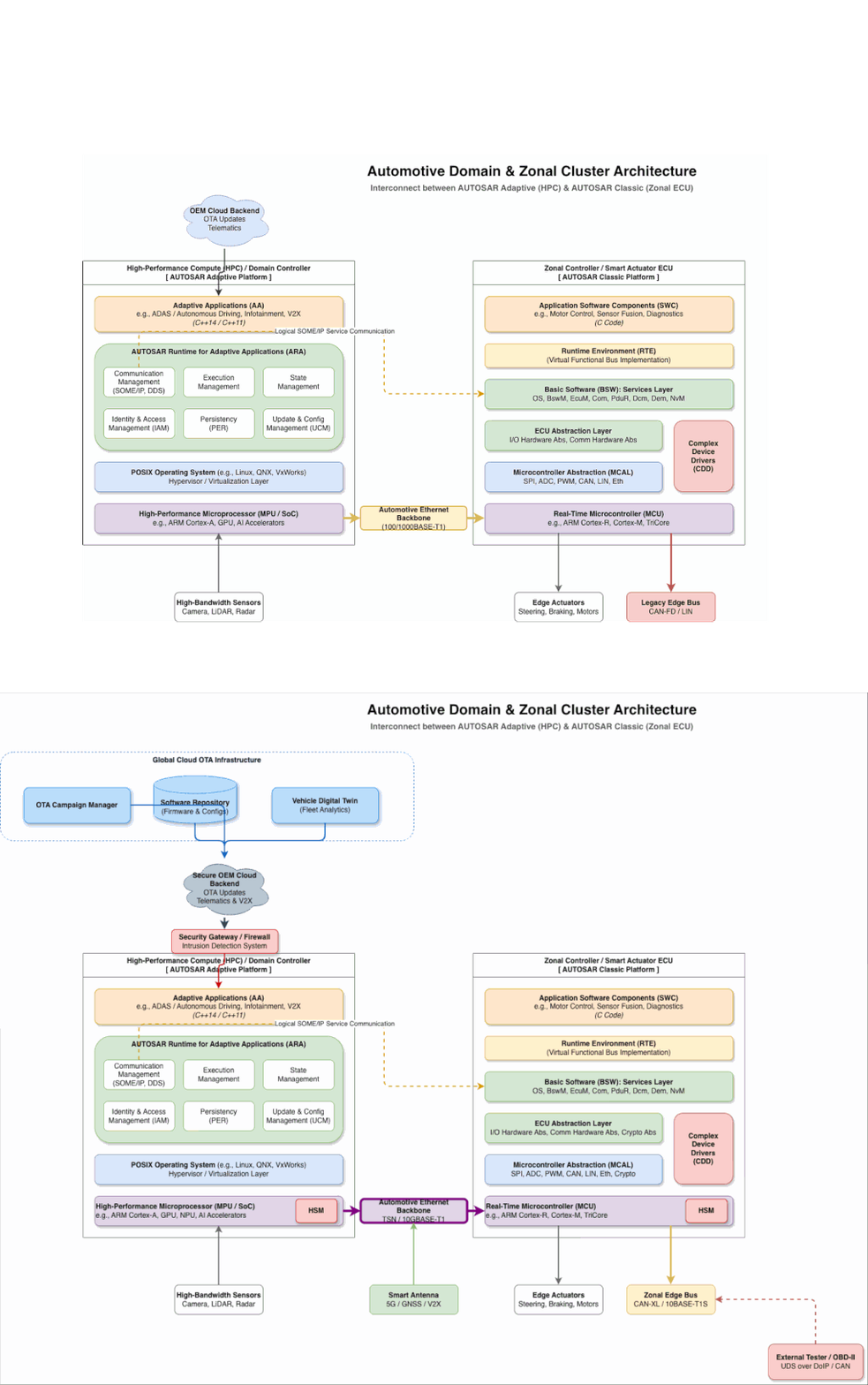
As an example I took two revisions of an architectural diagram (a completely made-up one) and wanted to see what changed since the previous version:
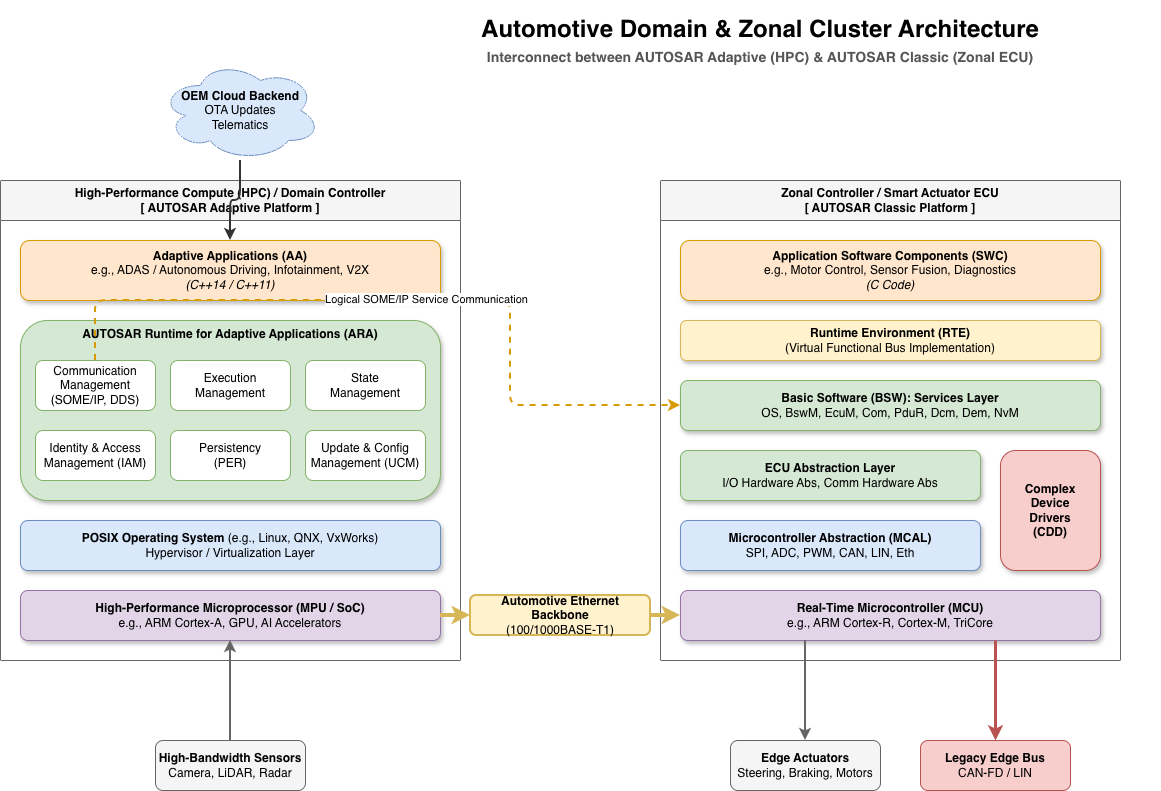
Original architecture
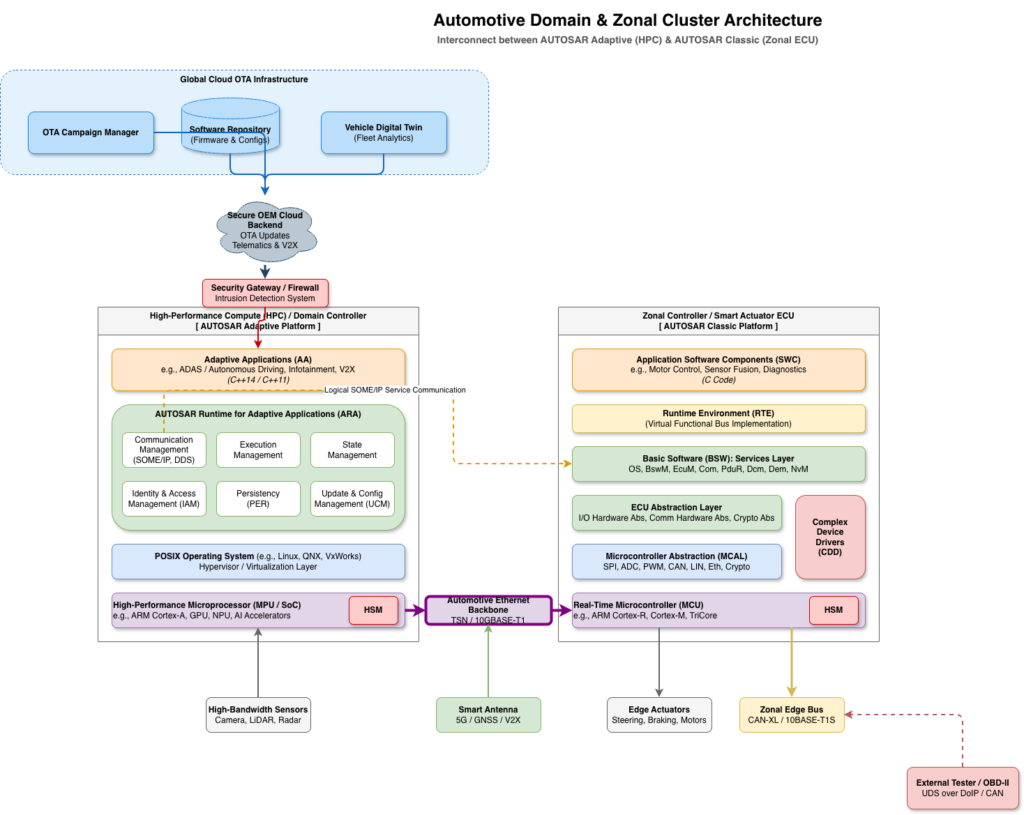
Updated architecture
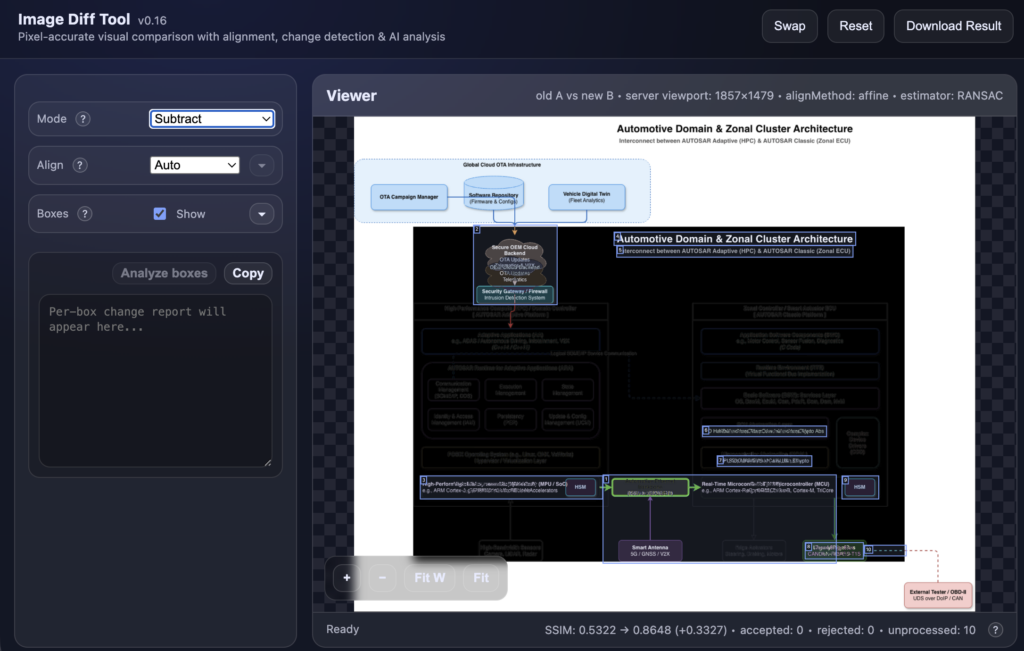
I drag both images in, the tool auto-aligns them and gives me five modes to compare with:
- slider
- split
- fade with blink
- highlight
- subtract
In my experience the pair almost always needs a small alignment fix (re-exported at a slightly different zoom, canvas grown by a few pixels etc). The tool tries four candidate transforms in parallel and keeps whichever one improves SSIM the most. If none of them help, it leaves the images alone rather than warping them into something that only looks aligned.
For larger images I use the Boxes feature. It draws numbered regions around the candidate differences and I walk through them, marking each one as accepted, rejected or pending. With a few of them marked, Auto-tune uses these as ground truth and looks for detection settings that suit the current pair better than the defaults. There’s also an optional Analyze step that sends the cropped contents of the accepted boxes to an OpenAI-compatible endpoint for a short written description. The rest of the tool works without it.
None of the underlying pieces are new – SSIM, ECC, and contour detection have been around forever, and I’m sure someone will tell me there’s a one-liner that does most of this. The point was to wire them into something I’d actually reach for, running on my own machine. If it’s useful to you too, it’s at imgdiff.harizanov.com.