In 2023 X removed free read access to its API. Since then the RSS bridge that shows my X feed on this site has broken two or three times a year, every time X shuffles its internals. Each fix reminded me that the ~1150 tweets I posted over the years live on someone else’s servers, one policy change away from vanishing. They are my words, and I wanted them in my own database on my own domain.
I requested the official X archive export and wrote an importer that creates a native WordPress post per tweet or thread. Parsing the ZIP was easy, most of the thinking went into what counts as “mine”. The rules I came up with:
- self-threads are merged into one post, dated to the first tweet
- replies to other people are dropped
- retweets are dropped
- quote tweets stay, with the quoted text rendered inline (someone else’s words, but my choice to share them)
That took 1150 tweets down to 518 posts.
Media took the most effort. The archive ships every image and video as local files, so I sideload them into the media library instead of hotlinking twimg.com (video hotlinking is already referer-blocked there, and images could be next). Two things needed fixing:
- Video-only tweets had no thumbnail at all, so ffmpeg pulls a poster frame from each one. Without that, 39 posts showed up blank in the listing.
- Every media-only tweet with no text collapsed onto the same “Untitled” slug, until I made the titles fall back to plain dates.
Threads needed a bit of care too. When I reply to my own tweet months later, sometimes contradicting it, the merged post gets a marker, otherwise it reads as one continuous thought. I only noticed that one by reading my own history back.
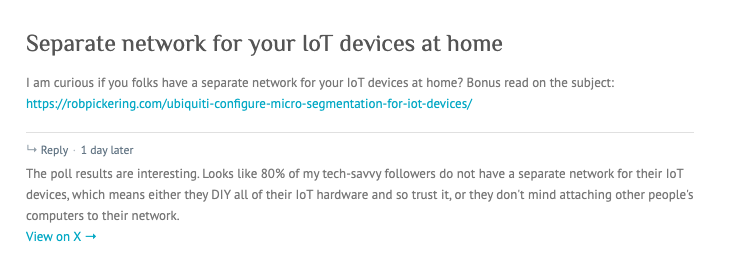
The archive is a one-time dump and I keep tweeting. For new tweets I made a Chrome extension that syncs single tweets on demand. It grabs the thread data x.com already loads in the page, signs it and pushes it to my server, which files it as a post like any other. I do not need to re-export the whole archive to catch up.
Under the hood it is about 4,700 lines of PHP, Python and JavaScript:
- The importer is ten PHP classes around a SQLite state database, so every step is resumable and re-runs cost nothing. Titles and media uploads are cached and imported threads are skipped. There is also a second dedup check against WordPress post meta, in case I lose that database.
- The extension never calls the X API. It wraps window.fetch on x.com and captures the thread data the page fetches for itself, which sidesteps the rotating query hashes and tokens that kept breaking my RSS bridge.
- A small Python daemon on my server takes the HMAC-signed tweet and parses it from the GraphQL shape into the structure the archive parser emits. From there the bulk import code writes it to WordPress.
The bulk run:
- 518 posts, 0 failed
- about 14 minutes, with ffmpeg as the bottleneck
- one delete –confirm removes exactly what it created
The code was written by an AI agent at my terminal, I did not hand-write it. My part was the design: the concept, the architecture, the rules for what counts as a post and the review at each step. The only AI in the finished posts is one gpt-5.4-mini call per post to turn the tweet into a title. Deciding what counts as a post took me longer than the code did.
My whole X history is now browsable under the X post category, on the same WordPress that minted an uninvited admin last week. And it is still mine.